ImprovementOct 13, 2026
Cover image focus
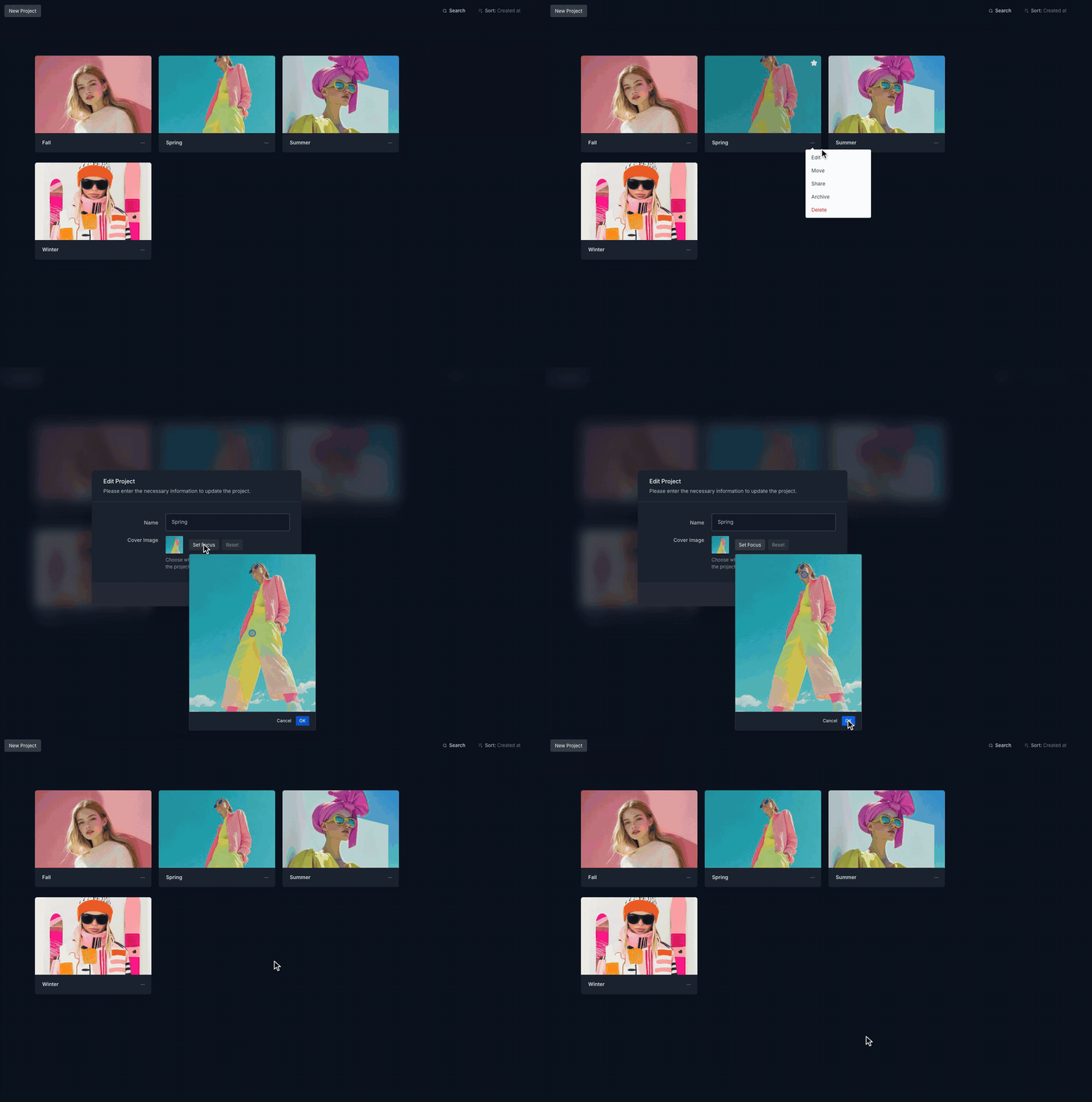
The visible area of a project's cover image can now be set by hand. Under Edit Project, "Set Focus" opens the full cover image, and one click marks the point that stays visible in the project overview. Portraits and off-center subjects no longer lose heads or faces to the automatic crop. "Reset" returns to the automatic crop.